
If someone asks ChatGPT where to buy a product or who provides a service like yours, what information does it have about your business? OpenAI’s new Business Hub gives eligible businesses a way to claim a profile and share up-to-date information directly with ChatGPT.
Business Hub is now in beta. Australian businesses can check whether they can claim a profile now or join the waitlist if Business Hub offers one. What you can do today depends on your business type and location.
What is ChatGPT Business Hub?
Business Hub is where you manage your business profile in ChatGPT. Once verified, you can update details like your website, what you sell or do, and the logo shown on your profile. Eligible retailers can also connect a product feed to share current prices and stock availability.
You can also see how often ChatGPT mentions your business, how many clicks it sends to your website and the kinds of topics that bring up your business. These are combined figures and themes, available once there’s enough activity. See OpenAI’s guide to setting up your profile and viewing insights.
Watch OpenAI’s introduction to Business Hub
Can you claim your business in Australia yet?
If you sell online or provide services online
Open ChatGPT Business Hub, sign in and search for your business name. If you can claim a matching profile, follow the verification steps shown. Depending on your business, you may be able to verify by business email, phone, website domain or Shopify. Eligible online businesses that don’t find a match may be offered the option to add one.
OpenAI also requires an identity check before you can publish profile changes or see your insights.
If Business Hub offers you a waitlist
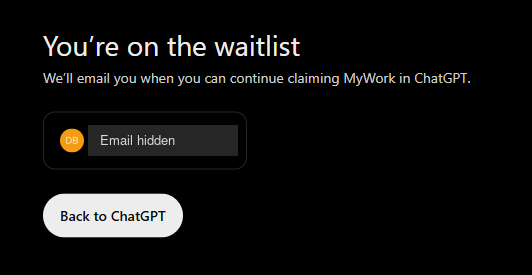
When we tried to claim MyWork in Business Hub, we were offered a place on the waitlist. If you see the same option, follow the prompts to join. You’ll still need to complete the claim, and OpenAI says it will email you when you can continue.
OpenAI currently limits local shop and restaurant claims to existing US listings. If Business Hub gives you neither a claim nor a waitlist option, you can follow OpenAI’s business updates and register your interest in setup help with MyWork.
In the meantime, check that your website clearly explains what you do, where you operate and how customers can reach you. If a service or location has changed, update it on your website and public profiles so customers have the right information wherever they find you. Our AI readiness checklist shows you what to check.
Frequently asked questions
Do I need Shopify to claim my business?
Shopify is one way to verify an eligible business. Depending on your profile, OpenAI may also offer verification by business email, phone or website domain.
Will claiming my profile make ChatGPT recommend my business?
Claiming lets you provide accurate business information. ChatGPT still decides independently which businesses to include in its answers.
Can Australian businesses set up a ChatGPT Business Agent?
OpenAI is currently offering Business Agents to eligible ecommerce and online service businesses in the United States. Business Agents let customers ask a business questions inside ChatGPT and have separate eligibility rules from profile claims.
MyWork will help you get set up
We’re preparing a new ChatGPT Business Hub Setup service. When your business is eligible, we’ll help you work through the claim and verification steps, review your profile details and make sure they match what customers see on your website.
If you’d like a hand, register your interest with MyWork. Include your website address and mention “Business Hub” so we know what you’re looking for.