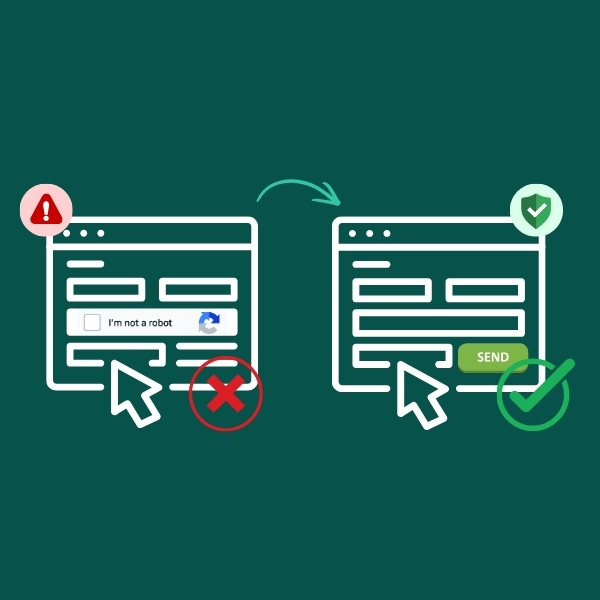

reCAPTCHA has been quietly protecting website forms for years. Now, the way Google manages it has changed.
If your website has a contact, enquiry or quote form, there’s a good chance Google reCAPTCHA is working somewhere behind the scenes.
Most business owners probably haven’t thought about it since their website was built.
That’s understandable. When reCAPTCHA is working properly, there really isn’t much to think about.
Google has now made some significant changes to how reCAPTCHA is managed, including moving the service into Google Cloud and introducing new account, usage and billing requirements.
We’ve also started seeing more issues with older reCAPTCHA configurations, ranging from increased spam submissions through to problems that can interfere with legitimate website forms.
As a result, MyWork now recommends Cloudflare Turnstile as our preferred spam protection for standard website forms going forward.
What Has Changed With Google reCAPTCHA?
For many years, reCAPTCHA was relatively simple to set up.
A website developer could create a reCAPTCHA key, connect it to a website and use it to help distinguish genuine visitors from automated spam bots.
Google has now moved the traditional reCAPTCHA service into its Google Cloud platform.
Google stopped allowing new reCAPTCHA Classic keys in 2024 and began automatically migrating existing Classic accounts into Google Cloud in late 2025, with the automated migration process scheduled for completion in early 2026.
Existing reCAPTCHA v2 and v3 keys can continue working after migration without changes to the website code. However, those keys are now managed through Google Cloud projects rather than the old standalone reCAPTCHA setup.
Google also says migrated keys can continue functioning even if the owner hasn’t immediately accepted ownership of the automatically created Google Cloud project. However, ownership needs to be accepted to create, delete or modify migrated keys.
You can read more about Google’s migration process in its reCAPTCHA migration documentation.
For businesses that have been using reCAPTCHA for years without ever needing to think about Google Cloud projects, billing accounts or usage quotas, this is a fairly significant change to something that previously just sat quietly in the background.
Does reCAPTCHA Now Cost Money?
Not necessarily.
Google currently provides a free allowance of up to 10,000 reCAPTCHA assessments per organisation each month.
Importantly, that allowance is aggregated across the organisation rather than necessarily providing 10,000 free assessments for every individual website.
For most small business websites, 10,000 assessments a month may be more than enough. The important difference is that there is now a defined usage allowance to be aware of.
If usage goes beyond the free allowance, billing needs to be enabled within the relevant Google Cloud project.
This is where the change becomes particularly relevant for some website owners. Using reCAPTCHA beyond the free allowance can mean having an active Google Cloud billing setup, including a valid payment method, associated with the project.
Google also documents different over-quota behaviour depending on how reCAPTCHA has been implemented, so higher-traffic websites shouldn’t simply assume the service will continue operating indefinitely without monitoring usage and account configuration.
For large platforms with sophisticated fraud prevention requirements, Google’s newer reCAPTCHA offering also provides more advanced security features.
But for the average business website with a simple contact form, that additional complexity may not be necessary.
Does This Mean Existing reCAPTCHA Forms Will Stop Working?
No. It does not mean every website using reCAPTCHA is suddenly going to stop receiving enquiries.
Google states that existing reCAPTCHA v2 and v3 keys continue working following migration without requiring changes to the website code.
However, in practice, we’ve been seeing an increasing number of support issues involving older reCAPTCHA configurations.
Sometimes the first sign is an increase in spam submissions because the protection is no longer operating as expected.
In other cases, problems with the reCAPTCHA verification process can interfere with legitimate visitors trying to submit a form.
Why Could reCAPTCHA Stop Working?
The Google Cloud changes don’t automatically break an existing reCAPTCHA setup, but there are now more account and configuration issues that website owners need to be aware of.
One of the biggest changes is billing. Google provides up to 10,000 free reCAPTCHA assessments per organisation each month. If an organisation exceeds that allowance, billing needs to be enabled on the relevant Google Cloud project to continue processing assessments normally.
For some reCAPTCHA implementations, exceeding the quota without billing enabled can result in assessment requests returning an error. Depending on how the website form has been configured to handle that response, this can affect the spam protection or potentially interfere with the form submission process.
There are other potential problems too. Older reCAPTCHA keys may be connected to Google accounts or Google Cloud projects that nobody at the business can access anymore. An older WordPress plugin or form integration may also stop working correctly after software updates or changes elsewhere on the website.
This is part of the reason MyWork is moving towards Cloudflare Turnstile for standard website forms. Turnstile doesn’t require the same Google Cloud billing setup and is generally simpler for us to manage on the types of business websites we support.
The website itself may still look completely normal when there is a problem.
A visitor can fill in their name, email address and message, click submit, and only then encounter a problem caused by the spam protection running behind the form.
This is why we’re taking a proactive approach rather than continuing to use reCAPTCHA as our default solution for standard business websites.
How Do I Know if reCAPTCHA Is Still Working on My Website?
The tricky part is that a reCAPTCHA problem isn’t always obvious just by looking at your website.
Your contact form may appear completely normal until someone actually tries to submit it.
A simple first step is to regularly test your own website forms. Submit a genuine enquiry through the website and confirm that:
- The form submits successfully
- You see the expected confirmation message
- The enquiry actually arrives at the correct email address or CRM
- You aren’t seeing an unusual increase in automated spam submissions
If your website uses an older reCAPTCHA configuration and you’re unsure whether it is still operating correctly, MyWork can check the form and spam protection setup as part of a website support request.
What Is Cloudflare Turnstile?
Cloudflare Turnstile performs essentially the same important job as reCAPTCHA.
It helps determine whether someone submitting a website form appears to be a genuine visitor or an automated bot.
Much of that verification can happen in the background, without requiring visitors to solve the image puzzles traditionally associated with CAPTCHA systems.
Cloudflare currently offers Turnstile with unlimited verification requests on its free plan, making it well suited to normal business website forms.
It can also be used without moving the entire website to Cloudflare hosting or changing where the website itself is hosted.
Why Is MyWork Moving to Turnstile?
We’re not moving away from reCAPTCHA because Google has suddenly created a bad product.
In fact, Google has been expanding reCAPTCHA into a broader fraud and security platform designed for more complex applications, account protection and transactions.
That can make sense for larger systems.
But most websites we build have a much simpler requirement.
A typical contact form needs to do two things:
- Stop automated spam submissions
- Allow genuine customers to make contact without unnecessary friction
For that use case, we’ve found Turnstile easier and quicker to configure, without introducing the same Google Cloud project and billing requirements.
That makes it a better fit for the types of business websites we typically build and maintain.
Does Turnstile Work With WordPress Forms?
Yes.
Turnstile has become increasingly well supported across the WordPress ecosystem.
At MyWork, we commonly build forms using Gravity Forms, Elementor Forms and Contact Form 7, and Turnstile can be integrated with these types of form setups.
Gravity Forms provides an official Cloudflare Turnstile integration, while Contact Form 7 now includes built-in support for Turnstile.
This broader support is another reason we’re comfortable making it our preferred solution for standard website form protection going forward.
Is Turnstile Better Than reCAPTCHA?
There isn’t one spam protection system that is automatically better for every website.
Google reCAPTCHA is still a capable security product and may remain appropriate for websites or applications that need Google’s broader fraud protection tools.
For most small and medium business websites, however, the requirement is considerably simpler.
You generally don’t need an advanced fraud detection platform just to protect a contact or enquiry form.
You need something reliable, unobtrusive and straightforward to maintain.
For those websites, we believe Turnstile is now the more practical option.
Should You Change Your Website From reCAPTCHA to Turnstile?
If your website currently uses reCAPTCHA and everything appears to be working, there is no need to panic.
But given Google’s changes, the additional Google Cloud requirements and the issues we’ve started seeing with some older implementations, we recommend that MyWork clients using reCAPTCHA move across to Cloudflare Turnstile.
We’ll also be using Turnstile as our preferred spam protection solution for standard website forms going forward.
This isn’t about adding another service to your website for the sake of it.
It’s about keeping something that should be simple, simple.
Your spam protection should sit quietly behind your website, block unwanted automated submissions and allow genuine enquiries through.
What Do MyWork Clients Need to Do?
If your website was built or is supported by MyWork and currently uses Google reCAPTCHA, we can replace it with Cloudflare Turnstile and configure it with your existing website forms.
If you’re a MyWork COMPLETE customer, contact your account manager or submit a support request and we’ll arrange the change through your existing COMPLETE support allocation.
If you’re not currently on MyWork COMPLETE, you can purchase a one-time WordPress support ticket and our team can complete the change for you.
You don’t need to set up Google Cloud projects, work through API keys or configure Turnstile yourself.
We can take care of the technical side for you.
Frequently Asked Questions About reCAPTCHA and Cloudflare Turnstile
Is Google reCAPTCHA shutting down?
No. Google reCAPTCHA is not shutting down. Google has moved reCAPTCHA Classic into its Google Cloud platform and changed how keys, usage and billing are managed. Existing reCAPTCHA v2 and v3 keys can continue working following migration. MyWork recommends checking older website implementations rather than assuming reCAPTCHA itself has stopped working.
Why could Google reCAPTCHA stop working on my website?
Google’s migration to Google Cloud doesn’t automatically break an existing reCAPTCHA setup. Problems can occur if an organisation exceeds Google’s free monthly assessment allowance without billing enabled, if nobody has access to the Google account or Cloud project managing the keys, or if an older website plugin or reCAPTCHA integration is no longer working correctly. MyWork can check an existing setup and, where appropriate, replace it with Cloudflare Turnstile.
Does this mean my website contact form is currently broken?
Not necessarily. Many existing reCAPTCHA installations continue to operate normally. However, MyWork has been seeing more issues involving older reCAPTCHA configurations, including increased spam and problems that can interfere with legitimate form submissions. This is why we recommend testing important forms and considering Turnstile where an older reCAPTCHA setup is becoming difficult to maintain.
Is Google reCAPTCHA still free in 2026?
Yes. Google currently provides up to 10,000 reCAPTCHA assessments per organisation per month through its free tier. Usage above that level may require billing to be enabled within Google Cloud. MyWork recommends that higher-traffic websites understand their usage rather than assuming every reCAPTCHA implementation will remain free regardless of volume.
How do I know if Google reCAPTCHA is still working on my website?
You can’t always tell just by looking at the website because reCAPTCHA generally operates as part of the form submission process. MyWork recommends periodically submitting a test enquiry and confirming that the form completes successfully, the message reaches its destination and spam levels haven’t unexpectedly increased. If you’re unsure, MyWork can check the reCAPTCHA or Turnstile configuration as part of a website support request.
What happens if my website exceeds Google’s free reCAPTCHA allowance?
Google’s free reCAPTCHA allowance currently includes up to 10,000 assessments per organisation per month. Google advises that billing needs to be enabled for usage above that allowance, and over-quota behaviour can depend on the type of reCAPTCHA implementation being used. MyWork can help website owners review their existing setup if usage or billing becomes a concern.
Is Cloudflare Turnstile free?
Cloudflare currently provides a free Turnstile plan with unlimited verification requests. There are limits around how many widgets and hostnames can be managed within an account, but these are generally more than adequate for normal small and medium business website use. This is one of the reasons MyWork considers Turnstile a practical option for standard website forms.
Will website visitors have to complete another CAPTCHA?
Usually very little interaction is required. Turnstile is designed to perform much of its verification in the background and only asks the visitor to interact when necessary. MyWork prefers this approach for standard business websites because it can protect forms without adding unnecessary friction for genuine customers.
Does Turnstile work with Gravity Forms, Elementor Forms and Contact Form 7?
Yes. Turnstile can be integrated with the common WordPress form systems MyWork uses, including Gravity Forms, Elementor Forms and Contact Form 7. The exact integration method can vary depending on the form system and website configuration, and MyWork can configure it as part of a website support request.
Should I replace Google reCAPTCHA with Cloudflare Turnstile?
Not every website needs to replace reCAPTCHA immediately. If your existing setup is working correctly and is easy to manage, there may be no urgent reason to change it. MyWork generally recommends Turnstile for standard business website forms where an older reCAPTCHA configuration is causing problems, account ownership is unclear or a simpler spam-protection setup makes more sense.
Does MyWork now use Turnstile on new websites?
Yes. Cloudflare Turnstile is now MyWork’s preferred spam protection solution for standard website forms. There may still be situations where reCAPTCHA or another solution is more appropriate, but for a typical WordPress business website we will generally recommend Turnstile.
How can I get MyWork to switch my website to Turnstile?
If you’re a MyWork COMPLETE customer, contact your account manager or submit a support request and MyWork can arrange the change through your existing COMPLETE support allocation. If you’re not currently on COMPLETE, you can purchase a one-time WordPress support ticket and MyWork can replace your existing reCAPTCHA setup with Cloudflare Turnstile.
Want Us to Switch Your Website to Turnstile?
If your website currently uses Google reCAPTCHA and you’d prefer to move to Cloudflare Turnstile, our team can take care of the setup and update your existing forms.
MyWork COMPLETE Customers
If you’re on MyWork COMPLETE, contact us and we’ll arrange the change through your existing support allocation.
Contact MyWorkNot on MyWork COMPLETE?
You can purchase a one-time WordPress support ticket and our team can switch your existing reCAPTCHA setup to Cloudflare Turnstile.
Purchase a Support TicketNot sure what your website currently uses? Contact MyWork and we can point you in the right direction.